Draw an aquarium Guides
From your first doodle to SECRET rolls, badges, luck upgrades, themes, and a full money-per-second tank.
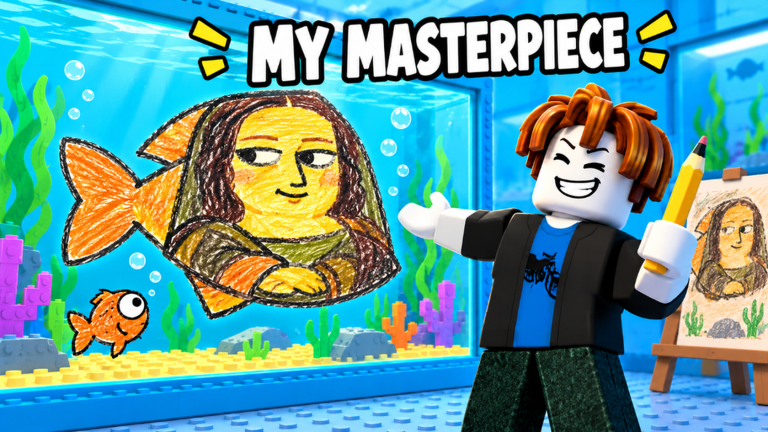
Welcome to the Guides Hub for Draw an aquarium, the Roblox simulation/tycoon by SanderManderen. The loop is simple to start and deep to master: you draw a fish, add eyes and a name, roll a rarity, drop it in your tank, and watch money tick every second. Servers hold up to 7 players, the experience has crossed ~1.09M visits since its 2026-10-27 release (place updates through 11 Nov 2026), and the skill ceiling sits in how well you draw, how you spend upgrades, and how patiently you chase rare rolls.
Use this hub as the map. Every guide below is written for real sessions—not filler—and cross-links to codes, the tier list, scripts, updates, players, and official links so you never dead-end mid-grind.
Start here if you are new
If this is your first join, open the Getting Started walkthrough. It covers the full first-hour path: opening the draw board, placing eyes, naming, understanding the rarity roll (Common → Rare → Epic → Legendary → Mythic → SECRET), and claiming the My First Fish badge. Pair it with the controls page so PC and mobile inputs feel natural before you chase quality scores.
Right after onboarding, redeem anything live on the codes page (none confirmed yet—even past 1M visits). Early cash and luck boosts, when they exist, shorten the empty-tank phase.
Core skill and economy guides
Star quality decides whether a doodle is forgettable or a Masterpiece. The game scores size, colours, detail, eyes, and neatness. A clean five-star fish unlocks the Masterpiece badge and usually earns more per second than a messy Common. Read How to Draw 5-Star Fish for brush habits that raise average scores without Robux.
When income matters, jump to Make Money Fast. That guide ranks tank capacity versus luck, how prop decorations multiply earnings, and how optional VIP, x2 Money, and theme +10% boosts fit a paid path. Stack it with Luck Upgrades so free luck and paid x2 Luck never get confused.
Badges, rarity, and long shots
All five Roblox badges—My First Fish, Masterpiece, Legendary Catch, Secret Fish, and Rainbow Fish—are covered on the Badges guide. Prefer live award counts over arguing a single percentage: Secret Fish stays extremely rare (on the order of ~523 awards in research snapshots), Rainbow Fish is uncommon (~11K awards), and Legendary Catch is far more widely earned. Mutations—Gold, Diamond, and Rainbow—layer on rarity; see the tier list, rarities, and mutations. For the rarest chase, read Secret Fish before burning hours on blind redraws.
Game passes and tank themes (November wave)
Robux products are optional. The full catalogue—More Templates, Colour Wheel, Starter Pack, Mona Lisa, Sea Creatures, VIP, x2 Luck, x2 Money, and themes—lives on Game Passes. Tank themes (Midnight Bloom, Ember Foundry, Mermaid Garden status) are a new Nov 8–10 monetization layer with +10% money on the paid releases; they are distinct from prop decorations—read Tank Themes. Nothing in those pages is required to enjoy the game.
Session checklist
- Claim codes if any exist; note timed boosts.
- Draw with intent—eyes, colour blocks, neat silhouettes—using 5-star drawing.
- Fill capacity; empty slots are lost money every second.
- Spend into capacity first, then money props, then free luck.
- Track badge goals on Badges; only then consider passes/themes.
- Revisit updates after patches so shop prices and theme sale flags stay accurate.
Tools, scripts, and community
Need calculators or trackers? Check tools. Curious about client helpers? Read scripts carefully and protect your account. For creator links and the Roblox place page, use the links hub (and links when available). No official Discord/Trello was confirmed at research time.
How these guides stay useful
Each article targets a search intent players actually type—how to get secret fish, draw masterpiece, make money, game passes, tank themes, badges, luck upgrades. Bodies aim for depth (hubs 400+ words, child guides 600+), include related FAQs, and keep internal links locale-agnostic with trailing slashes. When the meta shifts, we update the guide first, then mirror facts in content/facts.json so tier list pages and money tips never contradict each other.
Pick a path: learn the loop in Getting Started, chase art prestige in 5-Star Fish, hunt SECRET, optimise cash with Make Money Fast, or study Badges, Luck Upgrades, Game Passes, and Tank Themes. The aquarium grows with every better fish you drop in.
Frequently Asked Questions
Quick answers for Draw an aquarium on Roblox.
Which guide should I read first?
Start with Getting Started for the first-hour loop, then Controls if inputs feel awkward. After that, Draw 5-Star Fish and Make Money Fast give the biggest progression jump.
Do guides include YouTube videos?
Yes—key guides embed one real tutorial mid-article. New pages for Badges, Game Passes, Tank Themes, and Luck Upgrades each include a matching walkthrough video as well.
Where do rarity, badges, and passes live?
Use the Tier List hub for rarities and mutations, Badges for all five Roblox badges, Secret Fish for the ultra-rare chase, and Game Passes / Tank Themes for optional Robux products.
Are these guides official?
No. This is an unofficial fan wiki for Draw an aquarium by SanderManderen. Always confirm major changes on the Roblox experience page and developer channels.