Draw an aquarium How to Use This Wiki
A fan-made map of Draw an aquarium—where to click, how hubs connect, and how to keep codes, tiers, and tools in sync.
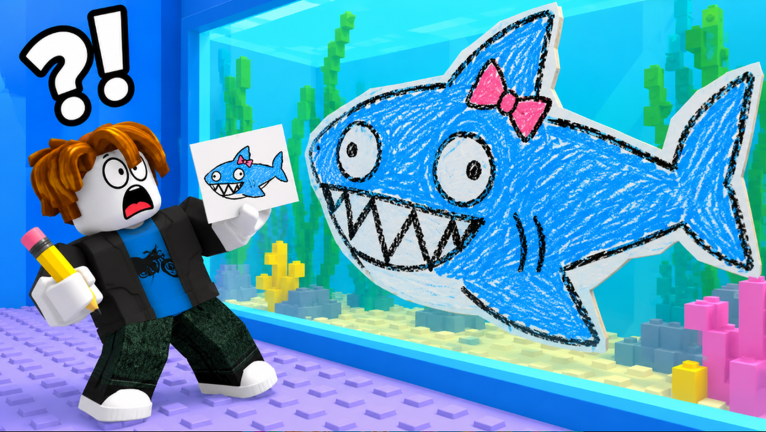
drawanaquarium.wiki is an unofficial fan wiki for the Roblox experience Draw an aquarium by SanderManderen. The game loop is simple to say and deep to master: draw a fish, earn stars, roll rarity and mutation, collect money every second, then upgrade tank space, luck, and decorations. This page explains how the site is organised so you spend less time hunting menus and more time improving aquariums.
We are not affiliated with Roblox Corporation or SanderManderen. For official joins, use the Links Hub and the Roblox place page.
What you will find here
| Hub | Path | Best for |
|---|---|---|
| Guides | Guides Hub | Walkthroughs and system explainers |
| Getting Started | Getting Started | First-session onboarding |
| Codes | Codes Hub | Promo codes and redemption |
| Tier List | Tier List Hub | Rarity / mutation priorities |
| Tools | Tools Hub | Star checklist + luck spend order |
| Updates | Updates Hub | Launch timeline and patch watchlist |
| Players | Players Hub | Creator info + scouting tanks |
| Scripts | Scripts Hub | Optional script notes + safety |
| Links | Links Hub | Official Roblox URLs only |
English pages live at the site root (/guides/). Other languages use prefixes such as /fr/ and /de/ while keeping the same slug endings.
How the game maps onto the wiki
- Draw → follow quality pillars on Tools (size, colours, detail, eyes, neatness).
- Star rating → decide whether the canvas is worth a roll; chase Masterpiece with neat eyes and clean outlines.
- Roll rarity → Common, Rare, Epic, Legendary, Mythic, SECRET — rank keepers on the Tier List.
- Roll mutation → Gold, Diamond, Rainbow — Rainbow pairs with the Rainbow Fish badge goal.
- Earn money/sec → slot keepers, expand the tank, and avoid wasting income on decor too early.
- Upgrade luck → use the priority tips on Tools; recheck after patches on Updates.
- Decorate & scout → compare layouts via Players in servers of up to seven players.
- Claim codes → always through Codes when launches or milestones drop gifts.
Recommended reading orders
Brand-new player (first hour)
- Links — confirm the real Roblox place
- Getting Started — learn the loop
- Tools — checklist before serious rolls
- Codes — grab anything active
- Tier List — know what to keep
Returning player after a patch
- Updates
- Codes
- Tools if star or luck text changed
- Tier List if odds shifted
- Guides for any rewritten systems articles
Badge hunter
Target My First Fish, Masterpiece, Legendary Catch, Secret Fish, and Rainbow Fish by combining checklist discipline with luck priority. Players and tier pages explain how community tanks and rarity flexes look in public servers.
How to navigate the site chrome
- Header hubs open category dropdowns (guides, codes, tier list, and more).
- Language button switches locales without sending you to a missing translation—every listed language should have full pages.
- Trailing slashes matter in our URLs: prefer
/tools/style paths. - Related links at the bottom of articles point to sibling and cross-category pages—follow them when a guide mentions luck or codes in passing.
- FAQ blocks on each article answer short questions and feed FAQ rich results; skim them before asking the same question in chat.
Editorial rules we follow (so you can trust pages)
- Facts such as the 27 October 2026 creation date, universe
10773262148, max players 7, and the creator id stay consistent across hubs. - We do not invent a Discord. Until a verified invite exists, Links stays Roblox-only.
- YouTube embeds, when present on guides, use real video ids and appear mid-article—not as fake end-of-page spam.
- Scripts content, if any, carries risk warnings on Scripts; this wiki never promises undetectable cheats.
- Images for heroes reference local
/media/game/gallery-*.pngcaptures rather than hotlinked random CDNs in article bodies.
Search tips
When using your browser find-in-page or a search engine:
- Query
Draw an aquariumplus the hub word (codes,tier list,luck,SECRET,Rainbow). - Include
Robloxif results mix in unrelated drawing games. - Prefer
site:drawanaquarium.wikiwhen you already know the answer lives here.
Contributing mindset (readers)
This is a maintained fan resource. The highest-value feedback is factual: a code expired, a luck price changed, a badge name differs in-game, or a patch added decor. Cross-check Updates after you notice a discrepancy, and use Links to verify you are on the authentic place before reporting “wrong game” issues.
Quick glossary
- Star quality — how good the drawing scores before the roll.
- Rarity — Common through SECRET outcome on the fish.
- Mutation — Gold, Diamond, or Rainbow visual/value variant.
- Luck — upgrades that improve roll outcomes over time.
- Tank — your display and income board; expand as you keep stronger fish.
- Decor — cosmetics that dress the aquarium after odds and income are healthy.
Next clicks
- Learn the loop: Getting Started
- Improve drawings: Tools Hub
- Spend smart after rolls: Tier List Hub
- Claim gifts: Codes Hub
- Track patches: Updates Hub
- Meet the creator & scout tanks: Players Hub
- Official URLs only: Links Hub
Play on Roblox, draw carefully, roll with intent, and let the hubs above keep every session organised.
Frequently Asked Questions
Quick answers for Draw an aquarium on Roblox.
Is this wiki official?
No. It is an unofficial fan resource. Official play links stay on the Links Hub and the Roblox place page.
Where should beginners start?
Open Getting Started, then use the Tools Hub checklist before heavy rolls, and check Codes for any active rewards.
Why are there no Discord links on the about page?
The wiki has no confirmed official Discord. We refuse to invent invites; see the Links Hub for verified Roblox URLs only.
How do language URLs work?
English uses root paths like /guides/. Other languages add a prefix such as /fr/guides/ while keeping the same page slug.
Which page tracks patches after the October 2026 launch?
Use the Updates Hub for the launch timeline and the checklist of decor, luck, codes, and rarity changes to verify after each patch.